
01
The trailer is present, but its exact spot is unknown
A gate log may prove the trailer entered the property, but dispatch still has to call, search a spreadsheet, or walk the yard to find its current zone or door.
Turn your facility map into a live operating view of trailer inventory, parking spots, dwell, paperwork, dock doors, and yard jockey work. Drivers and jockeys carry drop, pickup, and move activity into the yard on iOS, while API and EDI integrations can connect compatible GPS and TMS data.
Built for warehouses, distribution centers, manufacturers, and 3PLs managing drop trailers, yard jockeys, multiple zones, and multiple buildings.

A trailer can be physically on the property and still be operationally invisible. When spot locations, load context, paperwork, dwell, door readiness, and move requests live in different places, every handoff depends on memory, radio calls, and yard walks.
A gate log may prove the trailer entered the property, but dispatch still has to call, search a spreadsheet, or walk the yard to find its current zone or door.
Radio and verbal requests do not create a shared priority, assignee, in-progress status, completion time, or history for the trailer move.
Trailer contents, documents, dwell, appointment details, and dock readiness become separate records even though the same load passes through the gate, yard, and door.
Map the physical yard, let drivers handle trailer drop and pickup from iOS or the web, and give dispatchers and jockeys one shared workflow for inventory, assignments, moves, dock doors, and departure.
Draw each drop area, assign capacity, and turn it into named spots visible in map or satellite view alongside trailer inventory and dock doors.
Drivers can use the iOS app or browser workflow to drop loaded or empty trailers, attach paperwork, complete assigned pickups, and review recent activity. Each driver can use shared access or a dedicated user account.
Dispatch can assign trailer pickups to drivers or yard jockeys and send spot-to-spot, spot-to-door, or door-to-spot work into the appropriate mobile workflow.
Jockeys can see task totals and move types, hook a trailer, filter available work, claim a move, and complete it from their iOS yard view.
When a trailer GPS provider exposes a usable API, thisDock can integrate its location feed into the yard map for live position visibility alongside operational spots and moves.
Use API or EDI integration to exchange trailer, load, assignment, status, and milestone context with a TMS while the yard record continues through pickup and departure.
The desktop yard system connects maps, capacity, doors, trailer inventory, dwell, and dispatch. Driver and yard-jockey iOS views carry the assigned work into the yard. Open every image at full resolution.


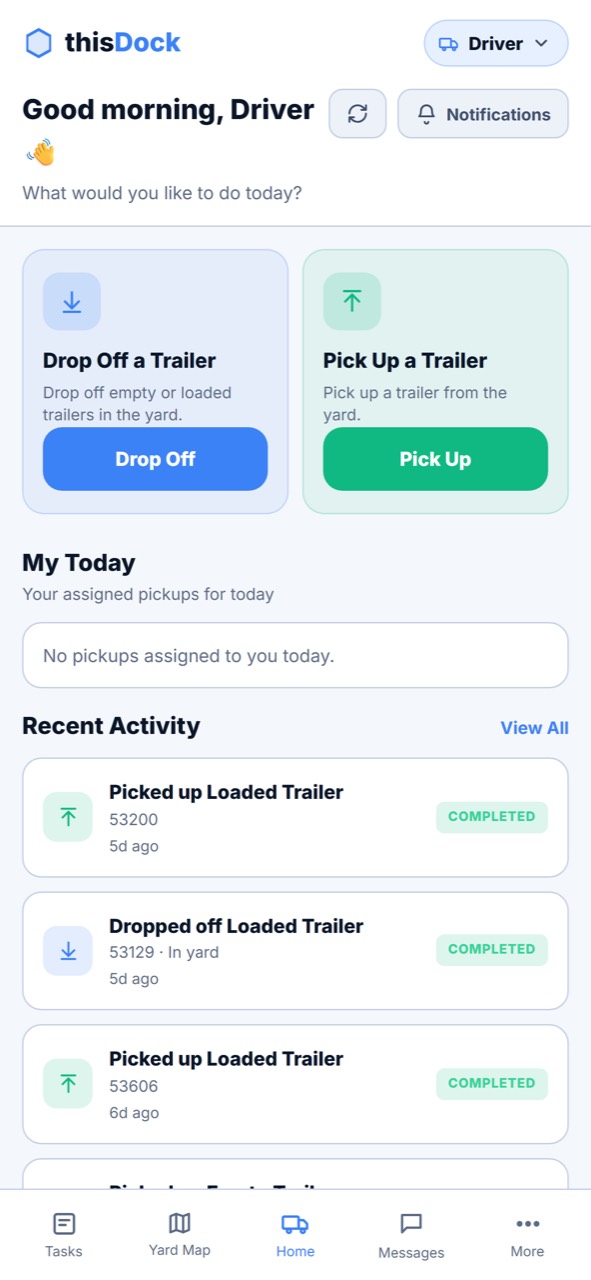
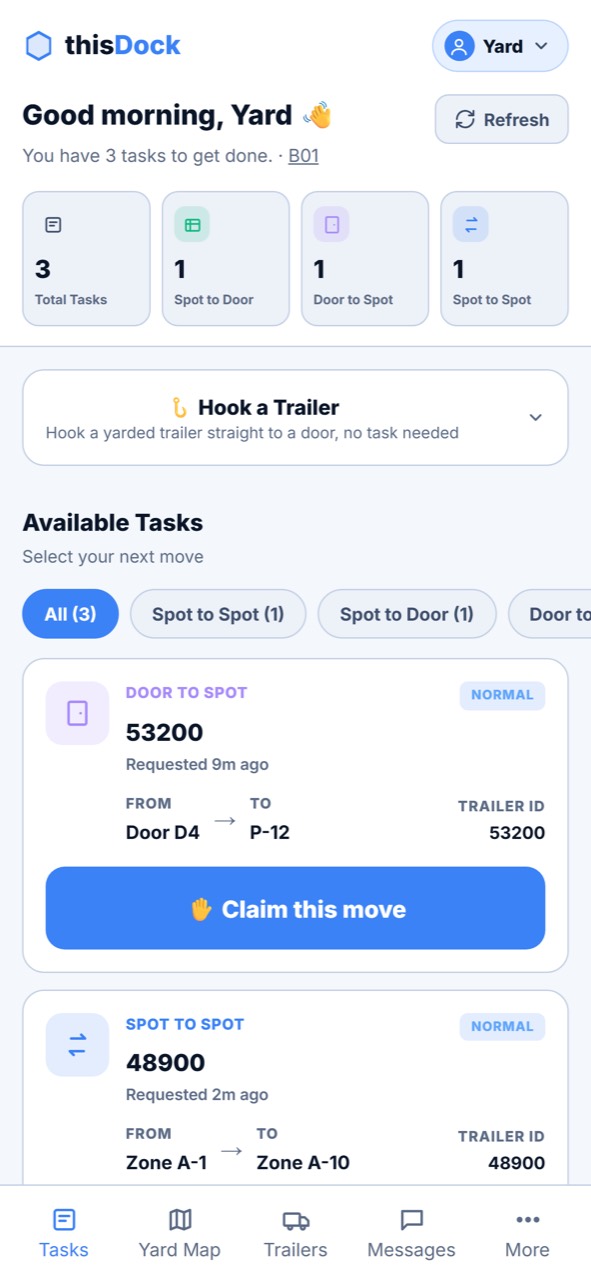
Every update follows the same trailer record, giving drivers, dispatchers, jockeys, gate staff, and dock teams a shared view of the current location and next move.
The driver uses the iOS app or browser workflow to provide trailer details, loaded or empty status, supporting documents, and drop information through shared or dedicated access.
The trailer appears in searchable yard inventory and on the configured map so the team can see its assigned operational location.
A dispatcher assigns a trailer pickup to a driver or jockey, or creates a prioritized move between a spot and dock door.
The yard jockey claims and completes the task from iOS, updating the operational trailer location and preserving the move history.
Pickup assignment and departure status close the trailer visit with a traceable record from arrival through exit.
A yard management system helps warehouses track trailers, parking locations, yard capacity, move tasks, dock assignments, pickups, and departures. It gives gate staff, dispatchers, yard jockeys, and dock teams a shared view of trailer activity outside the warehouse.
Yes, when the trailer GPS provider offers a usable API. thisDock can integrate that provider’s location feed into the yard map so compatible GPS positions appear alongside operational zones, named spots, dock doors, and move activity. Facilities can also use the mapped operational workflow without GPS hardware.
Yes. Drivers can drop and pick up trailers, view assigned pickups, and review recent activity in the iOS app. Yard jockeys can view move types and priorities, claim tasks, hook trailers, and complete moves. Browser-based driver workflows remain available when an app is not preferred.
Yes. A facility can support shared driver access where that matches the operation, or provide dedicated user access so an individual driver can receive assigned pickups and maintain a personalized activity view.
Yes. A facility can create mapped drop areas, define the capacity of each area, and use that capacity as individual named spots for trailer placement and movement.
A dispatcher can assign trailer pickups to drivers or jockeys and request moves between yard spots and dock doors. Yard jockeys use their own web or iOS access to view open work, claim tasks, mark progress, and complete each move.
Yes. thisDock can use API or EDI integration to exchange relevant trailer, load, assignment, status, and milestone data with a TMS. The exact integration depends on the TMS interface and the workflow your operation needs.
Yes. thisDock combines carrier booking, driver check-in, trailer placement, yard moves, dock-door activity, staging, and departure workflows so the yard and dock do not operate as separate systems.
Tell us how many facilities, yard zones, trailer spots, dock doors, and daily moves you manage. We’ll show how thisDock can map the operation and connect it to scheduling, check-in, and dock execution.
Contact thisDock →